Hardware & downloads
Works with the hardware you already have
TB-cast runs on almost any screen with a modern browser or one of our players. Not sure what to buy? Here's our advice.
Recommended hardware
Independent advice: we don't sell hardware and earn nothing from these choices.
- Our pick
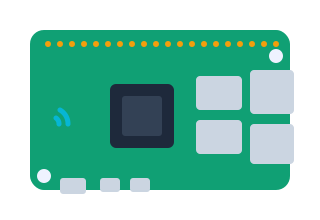
Raspberry Pi 5
The best value for money. Silent, efficient and powerful enough for 4K images and video.
- 4 or 8 GB RAM
- Official 27 W power supply
- 32 GB microSD (A2)
Raspberry Pi 4
Excellent for Full HD presentations, menu boards and widgets. Already got one lying around? Use it.
- 2 GB RAM or more
- Official 15 W power supply
- Case with cooling
Mini PC (Windows or Linux)
For heavy video, multiple zones or 4K on several screens. Pick a passively cooled model.
- Intel N100 or better
- 8 GB RAM
- 128 GB SSD
Smart TV with browser
No extra box needed: open the web player in your TV's browser. Ideal for simple presentations.
- Recent webOS, Tizen or Android TV
- Auto-start configurable
- Wired network preferred
Android TV stick or box
Small and affordable. Install our Android app and the player starts automatically.
- Android 9 or newer
- 2 GB RAM
- Supports APK installation
Amazon Fire TV Stick (Silk browser)
Open the web player in the Silk browser. Fine for static content; less suited to heavy video.
- Fire TV Stick 4K
- Silk browser
- Disable the screensaver
Downloads
After installation the player shows a pairing code. Enter it in the portal and your screen is ready.
Tips for a reliable setup
- Use a wired network connection where possible.
- Turn off your TV's power saving and screensaver.
- Set the TV to switch on automatically after a power cut.
- Use a professional display if it's on for more than 12 hours a day.
Browser & smart TV
No installation needed. Works in Chrome, Edge, Firefox, Safari and most smart-TV browsers.
Raspberry Pi
Raspberry Pi 4 or 5 with Raspberry Pi OS (64-bit). Install with one command or flash our ready-made image.
Install via terminal
curl -fsSL https://tb-cast.nl/install/pi.sh | bash- Ready-made SD card imagetbcast-player-raspberrypi-arm64.img.xzDownload
Windows
Windows 10 or 11 (64-bit). Starts automatically in full screen.
- Installer (.exe)TB-cast-Player-Setup-x64.exeDownload
Alternative: PowerShell
irm https://tb-cast.nl/install/windows.ps1 | iex
Linux
Ubuntu, Debian and derivatives (x86-64). Choose an AppImage, .deb package or the install script.
- AppImageTB-cast-Player-x86_64.AppImageDownload
- Debian/Ubuntu package (.deb)tbcast-player_amd64.debDownload
Install script
curl -fsSL https://tb-cast.nl/install/linux.sh | bash
macOS
macOS 12 or newer, for Apple silicon and Intel.
Android
Android 9 or newer: TV boxes, sticks and tablets.
Ready to make your screens smarter?
Try TB-cast free for 30 days with 1 screen. No credit card, no commitment.